
How To Use The UltraLite
Visual step-by-step
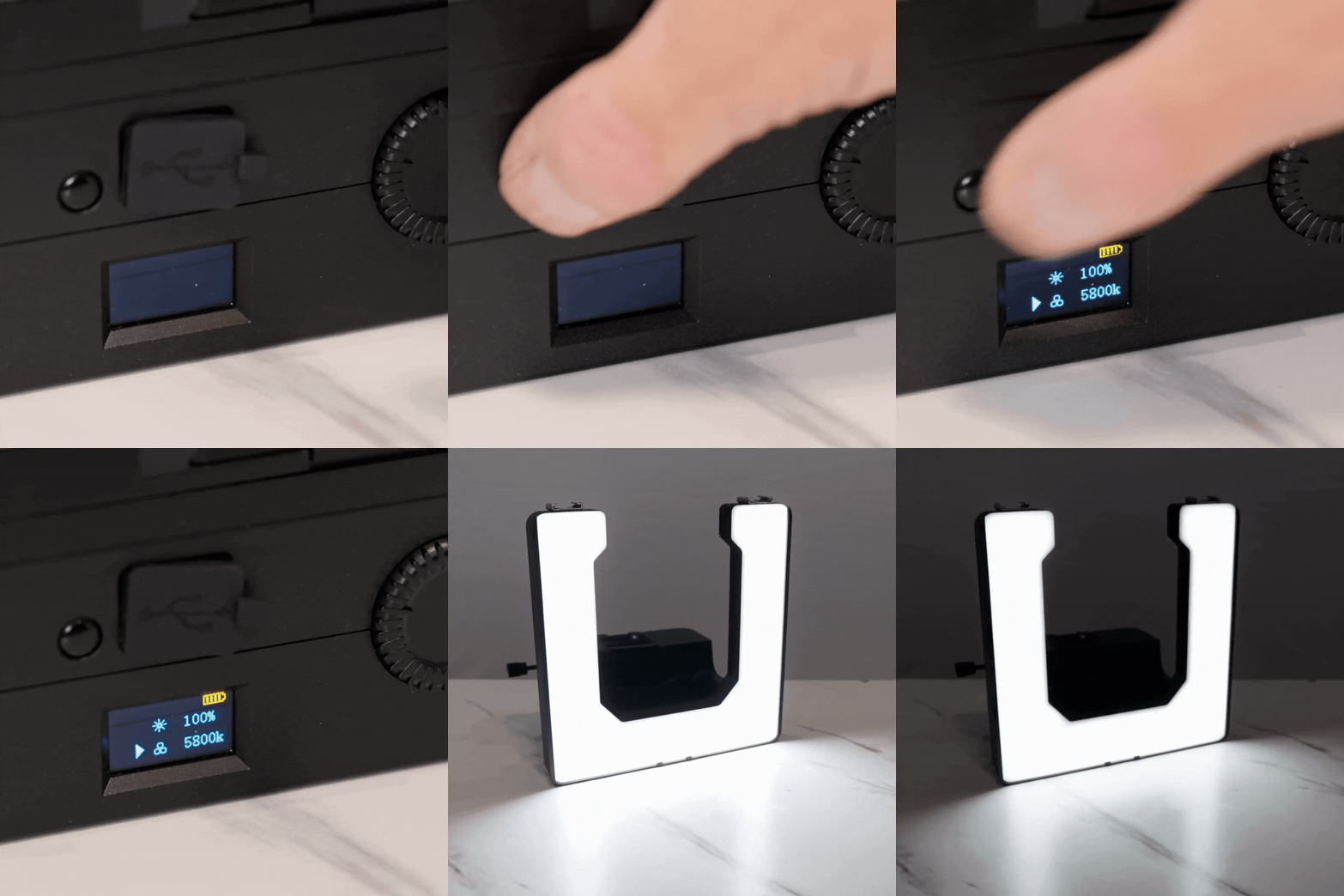
1. Turning It On
Press the button on the back to turn it on. The display screen will turn on once its powered on:
1. On top is battery
2. Brightness (power)
3. Color temperature
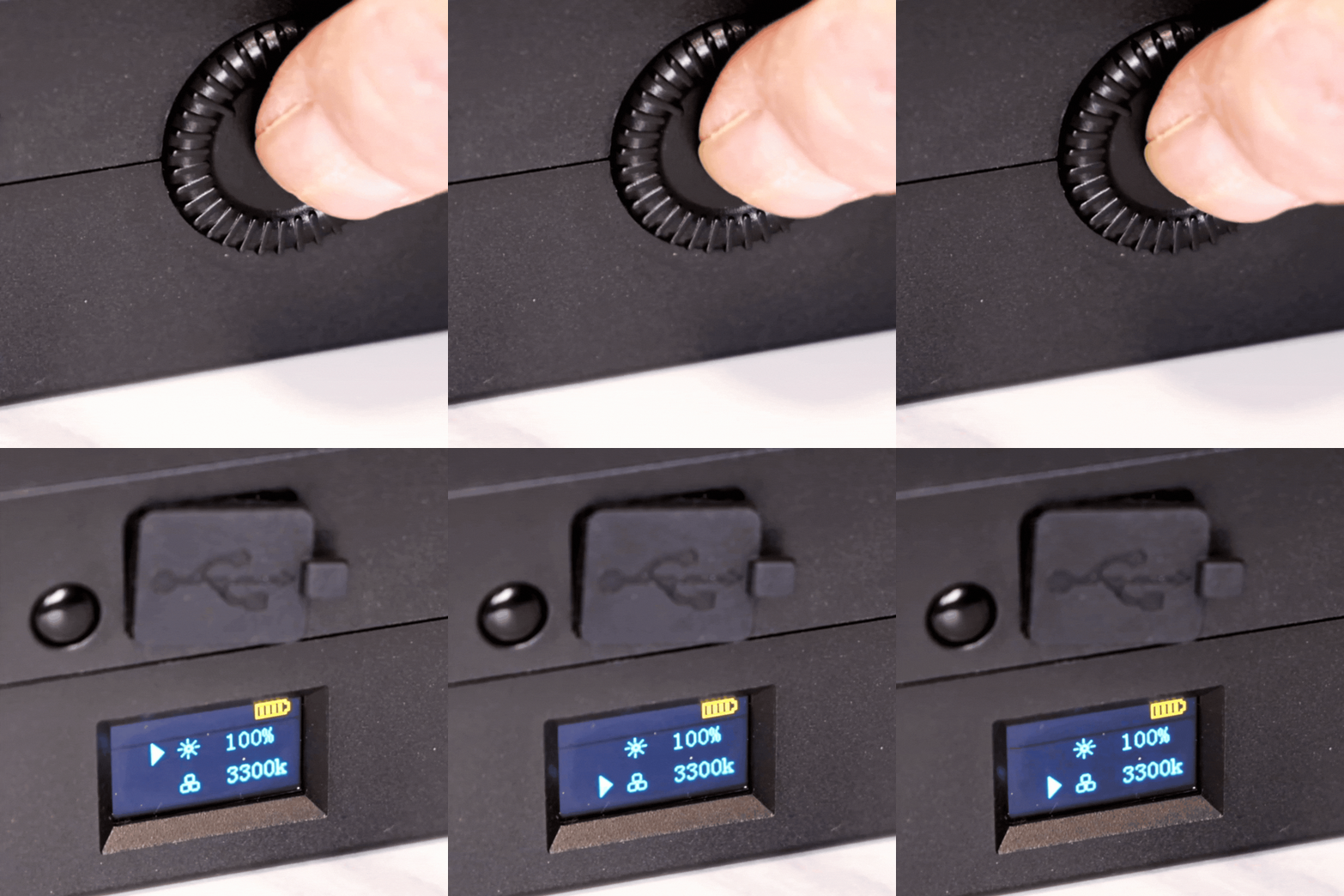
2. Temp and Power Output
Need warmer or cooler lighting? Or want to adjust the brightness of your light? Double-click the dial, turn, and adjust.
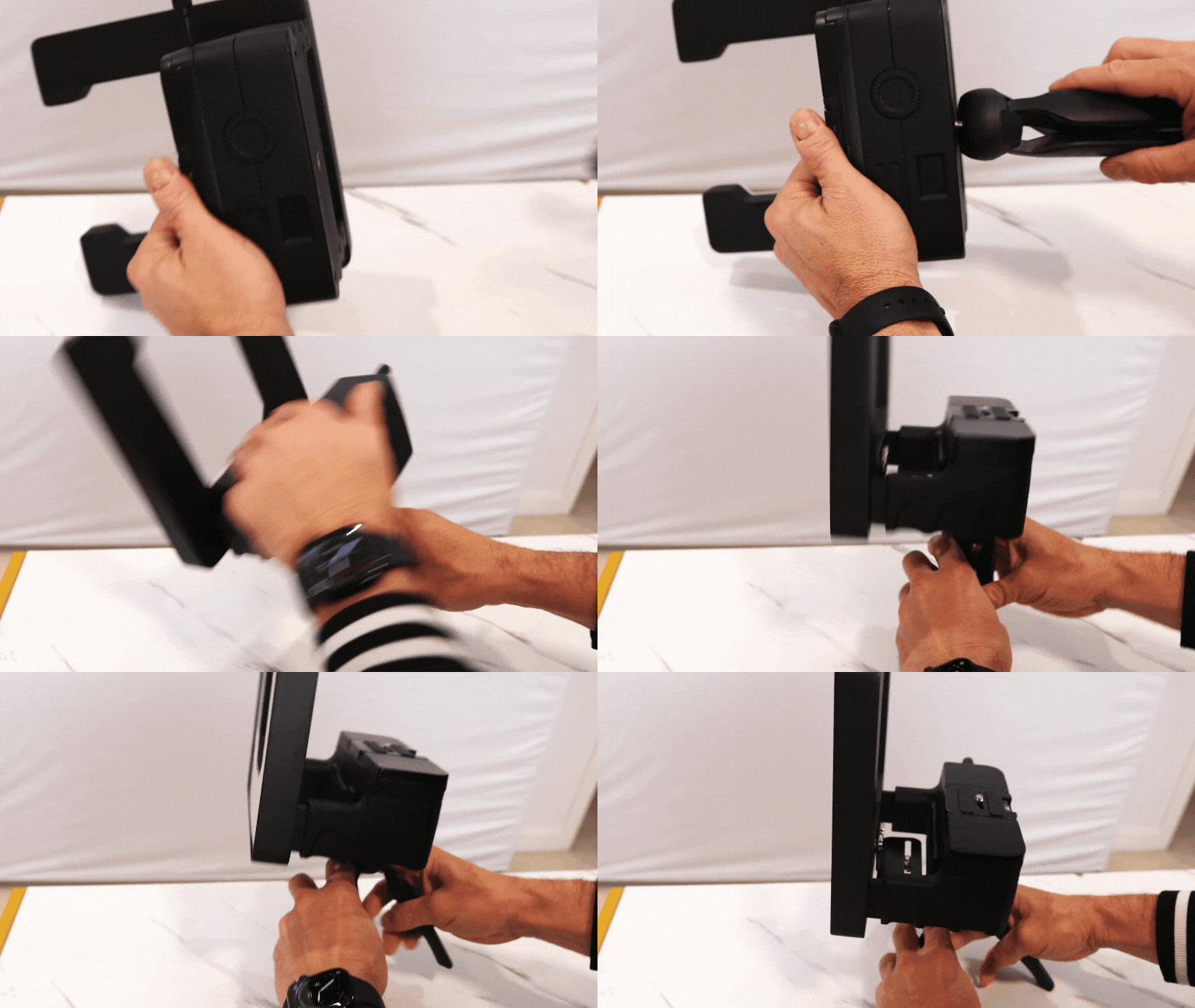
3. Mounting on a Tripod
1. Flip the UltraLite over and locate the 1/4 20 female thread on the bottom
2. Screw your tripod or quick-release plate into that thread
3. Secure the plate into your tripod head just as you would with a camera

4. Using The Mobile Adapter
The mobile adapter is easy to screw in and lets you record in both vertical and horizontal with your phone!
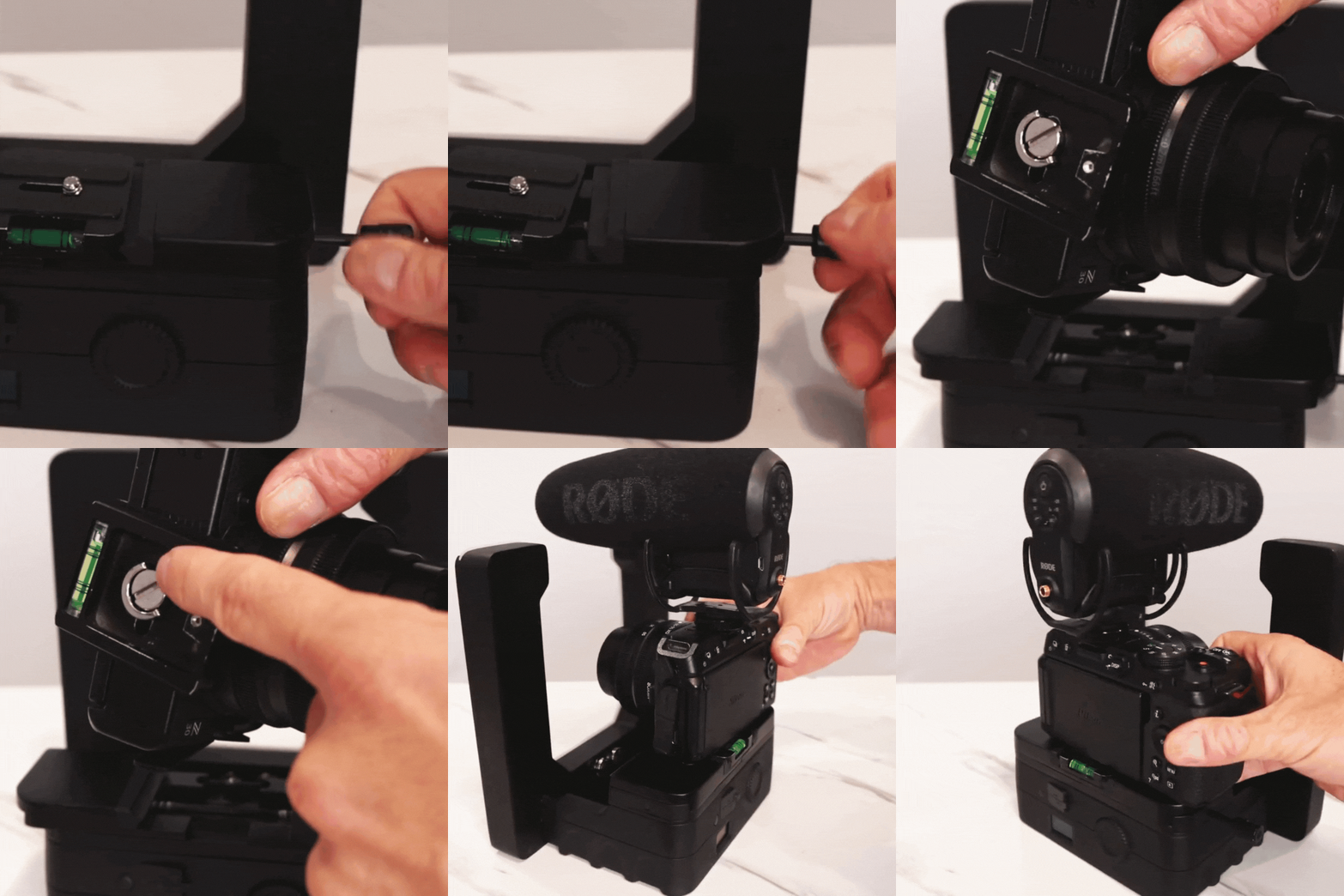
5. Attaching to Cameras
1. Release the mount by loosening the expansion knob on the base plate
2. Slide out the camera mount
3. Screw the plate into the bottom of your camera like a normal tripod plate (it uses a standard 1/4 20 screw)
4. Slide the camera and plate back into the base
5. Tighten the knob so everything is snug
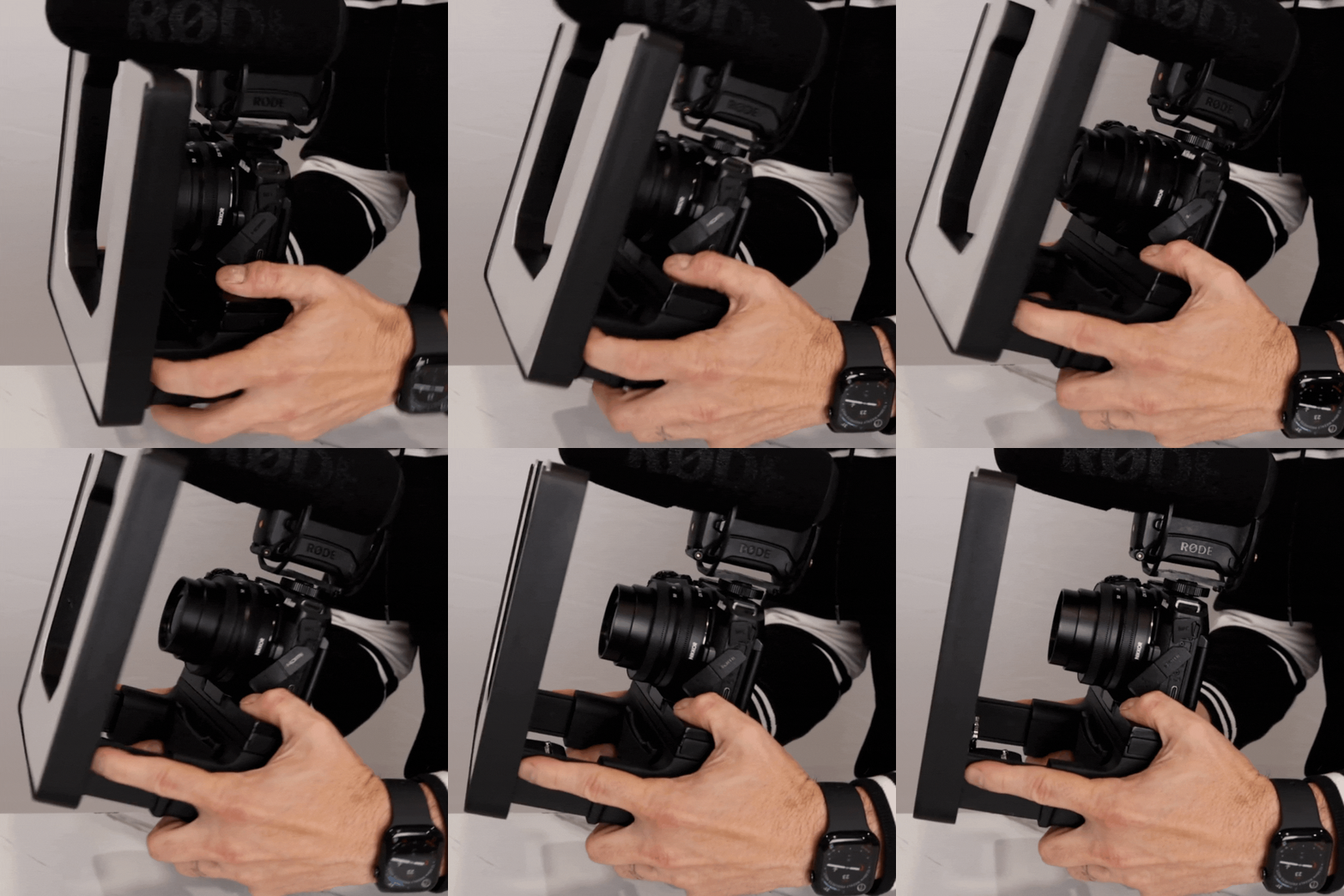
6. Extending The Arms
Extend the arms of the UltraLite if you need more room to fit in a camera or phone. This feature allows you to support larger cameras and lenses by providing additional space and stability.